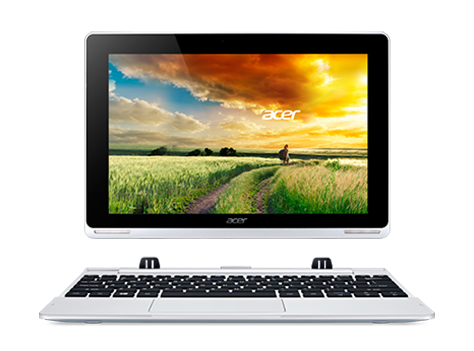
Can a machine be brilliant? The Aspire Switch 10 thinks so. With a Full HD display 1 that reveals bright colors and crisp, clear text, it delivers a lifelike visual experience. The Gorilla® Glass 3 display protects against scratches and improves durability. Moving smoothly between four modes, the Aspire Switch 10 boosts productivity no matter where your journey takes you.

More responsive than traditional touchpads, these also feature Palm Rejection tech that ignores unintended motions.

Enjoy enhanced screen clarity even in sunlight, so you can enjoy content anywhere you go.

1920x1080 resolution in a 16:9 aspect ratio makes movies more real and dramatic. Small details and text are clear.

Easily snap the screen off and on to switch between four modes: Tablet, Laptop, Display, and Tent.

Incredibly slender, light and strong, this remarkable glass has a beautiful, smudge-resistant appearance.

Solid state drives deliver unparalleled performance, paired with amazing data stability and durability.

Colors stay true no matter what angle you're viewing from. Share what's on your screen with friends and family.
With the resolution to bring details to life and the resilience to battle wear and tear, the Aspire Switch 10 is a stunning device you will want to share. Full HD 1 (1920 x 1200) display, Zero Air Gap, and IPS technology 2 combine to provide vivid clarity and bright color from every angle.
The new-generation Corning® Gorilla® Glass 3 makes your display tougher than ever with Native Damage Resistance. Corning® Gorilla® Glass 3 provides 3x better scratch resistance and reduces existing scratch visibility.
The Aspire Switch 10 is powered by an Intel® Atom™ CPU and transforms into four distinct modes that enable you to multitask in any environment. Detach and use it as a tablet, get tasks done in laptop mode, pivot its screen to share, or flip to watch a movie when space is limited.
Flip, rotate, or detach in a snap -- the Aspire Switch 10's unique Acer Snap Hinge uses the invisible force of magnetism to provide a latch-less docking solution that lets you smoothly remove and re-attach the keyboard to the display.
Acer's innovative nano-imprint technology (NIL) offers a wide range of stylish laptop cover options using new environmentally friendly manufacturing processes. The rear cover of the Aspire Switch 10 is made from aluminum and NIL technology and is finished with a gentle gray brush stroke, creating an elegant and unique design.
At a mere 8.9 mm thin in tablet mode, the Aspire Switch 10 transforms into one of the slimmest 2-in-1 laptops you can buy. It weighs in at just 1.17 kg, so you can effortlessly keep the Aspire Switch 10 at your side all day long.
Zero Air Gap technology unites touch and sight better than ever for a truly impressive touchscreen experience. This technology directly bonds the module to the touch panel thereby eliminating reflections, which can degrade contrast and viewing angles, especially in sunlight conditions.
Whether you're an indoors person, an outdoors person, or a bit of both, the Aspire Switch 10 is designed to be used every day, everywhere you go. Its Acer LumiFlex™ display technology provides optimized color control that lets you watch videos and share photos even under the sun.
1.
Specifications vary depending on model.
2.
All brands and product names mentioned herein include trademarks of their respective companies and are used solely to describe or identify the products.
* Available date is subject to Microsoft’s official announcement. For more information, visit acer.com/windows10now
Sale subject to Limited Warranty and Terms & Conditions agreement. All offers subject to change without notice or obligation and may not be available at all retail locations. Prices listed are manufacturer suggested retail prices and may vary by retail location. Applicable taxes extra. Not responsible for pricing or other typographical errors.
This system is preinstalled with Windows® 7 Professional software and also comes with a license and media for Windows 8 Pro software. You may only use one version of the Windows software at a time. Switching between versions will require you to uninstall one version and install the other version.
To enable downgrade to Windows 7 on this system the BIOS settings on this system were changed to boot into legacy BIOS mode. If the BIOS setting is not changed to native UEFI mode boot prior to installing, Windows 8 Pro will install; however, the following Windows 8 Pro functionalities will not work as they rely on a native UEFI mode boot:
-Secure Boot
-Seamless Boot experience
-Network unlock for Bitlocker for systems with a Trusted Platform Module (TPM).
-eDrive support"-->