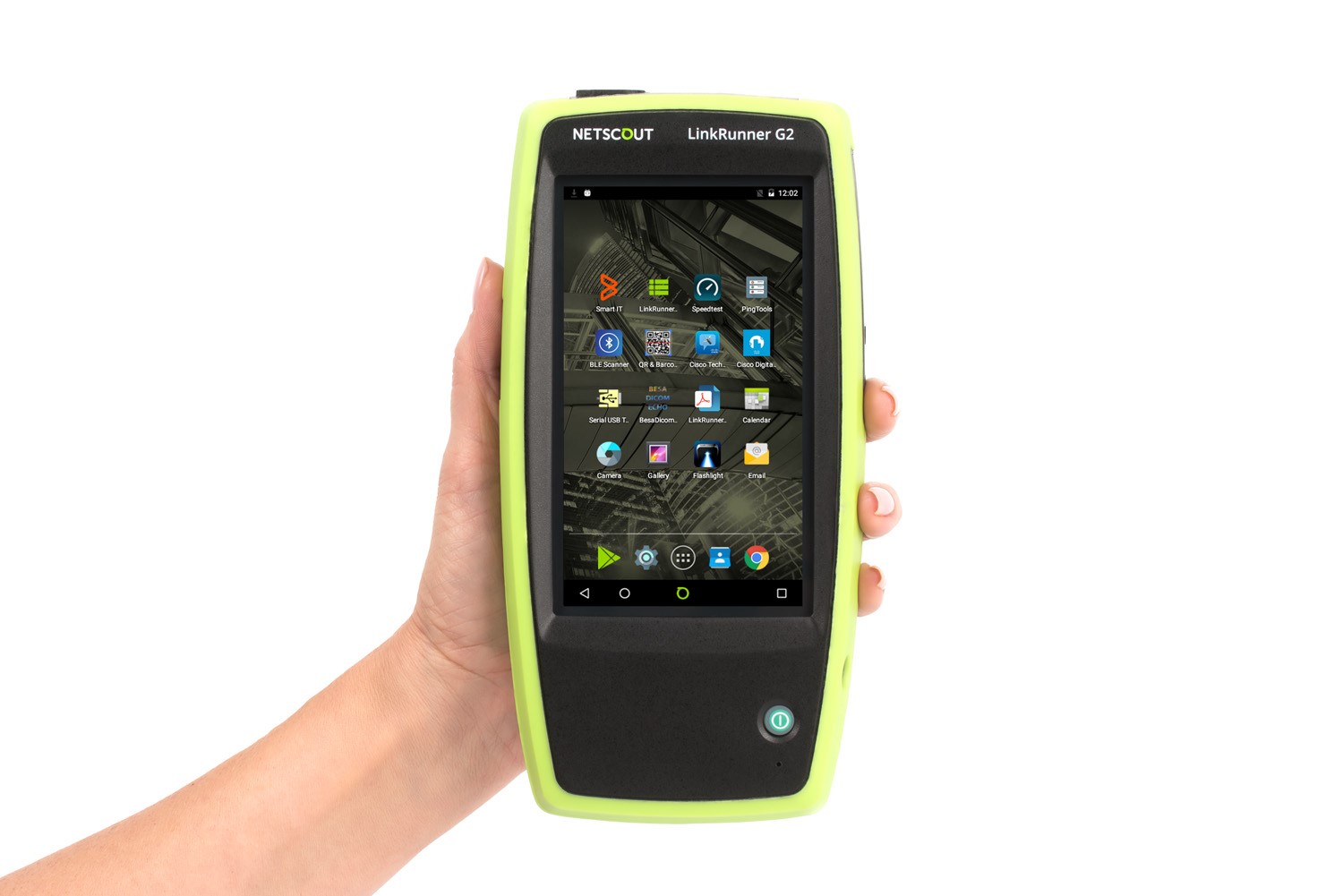
A simple, comprehensive network validation and configuration platform that empowers network professionals.
LinkRunner G2 Smart Network Tester
The World’s First Android-based Smart Network Tester for the Connected World
The World’s First Android-based Smart Network Tester for the Connected World
As the world’s leading network connectivity tester, LinkRunner™ provides immediate visibility and value to network professionals responsible for delivering network services. By combining Ethernet test capabilities for copper and fiber links with the Android™ OS 1 , LinkRunner G2 represents a breakthrough in handheld network test that elevates the proficiency and productivity of network technicians responsible for troubleshooting as well as deployment and validation of network connected devices.
- Twisted-pair testing 10/100/1000BASE‑T
- Fiber-optic testing 100/1000BASE‑X
- Automated network connectivity testing
- Android-based OS for Ethernet connected app use
- Wi-Fi and Bluetooth ready
- Loaded power testing up to UPOE on all 4 pairs
- Cable validation including distance‑to‑fault
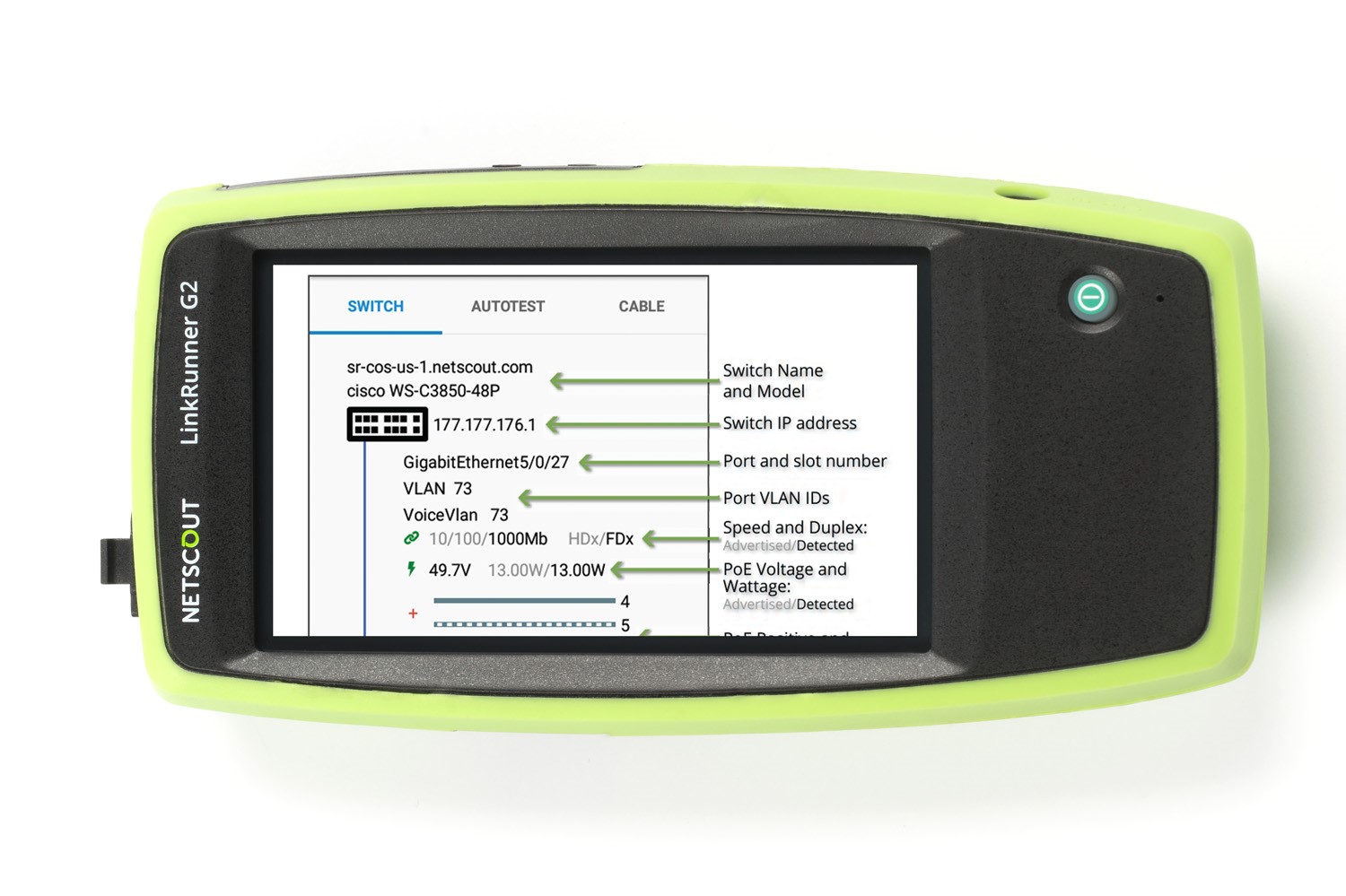
- Discover the nearest switch/slot/port and VLAN/Voice VLAN
- DHCP, DNS and Gateway connectivity test
- Ping and TCP port connectivity test
- Automated test result upload to Link-Live Cloud Service
- Packet reflection up to 1 Gbps
Importance of Automated Network Connectivity Testing
Paramount to the deployment of any type of network-connected device is validating link and network services from the point where end devices connect to the network. By automating those many tests in a simple but complete AutoTest, instead of requiring specialized expertise to understand the many underlying elements of network connectivity, even the least experienced technician can execute the test.
AutoTest performs a default set of key network connectivity tests in seconds, providing a standardized test process that enables technicians to quickly and accurately identify if the problem is in the connected device, the network, or lack of proper PoE being supplied to the RJ-45 jack.
Standard AutoTest includes:
- TruePower™ PoE Class 0-4, UPOE
- Link speed/duplex
- Nearest switch including slot/port/VLAN/Voice VLAN
- DHCP IP Address assignment
- DNS Validation
- Gateway Router Validation
- Reachability to target resource (I.E. Internet)
When customization of the AutoTest is needed, profiles can be defined to ensure a standardized test process is executed when variables about the link under test are needed. While these settings can be easily changed in use, profiles can be configured by a senior team member to ensure less-skilled technicians are executing an AutoTest that is specific to their network environment, which is particularly useful in organizations who manage distributed locations.
Examples include:
- Site-specific PoE configuration
- 1000BASE-T validation
- 802.1x authentication
- IPv4/IPv6
- DHCP/Static IP
- Proxy settings
- VLAN ID and Priority
- User-defined MAC
- Up to 10 custom-defined ping or TCP port open targets
At the completion of each AutoTest, the result is automatically uploaded into the included Link-Live results management and reporting database and sent to any number of recipients via email. Users have the ability to add additional information that will append to the link test either directly from LinkRunner G2 or through email.
Examples of useful information to document with the AutoTest result:
- Trouble ticket number
- Jack location
- Use the on-board camera along with an Android app to scan a QR/Barcode
- Attach a photo of a serial number, asset tag or just proof of device install
Benefits of Android OS
Eliminate Security Risk of Using Personal Devices
Many technicians today use their personal mobile device on the job to access vendor apps, check trouble tickets, look up technical documents, calculate IP address ranges, configure network equipment, and more. However, the use of a personal device for job-related tasks could be considered a security risk. In addition, it may have only limited access to network infrastructure information (if connected to a guest VLAN, for example).
But the mobile device has no ability to validate wired Ethernet infrastructure – it cannot test PoE, cabling, link negotiation or network services. While it features Wi-Fi and Bluetooth connectivity, many networked end-point devices do not support these connection methods. So multiple tools are needed.
Workflow Efficiency Gains
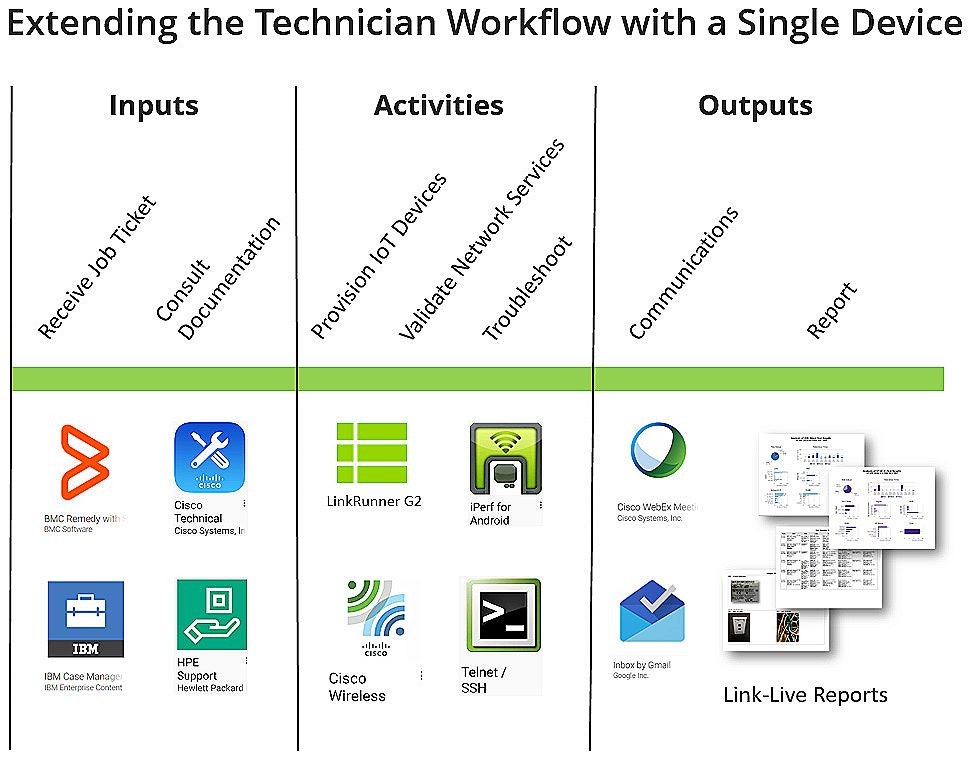
Imagine how much time it would save to have a single device that could:
- Receive a trouble ticket
- View .pdf documents
- Verify network services via AutoTest
- Automatically document test results
- Do all things Wi-Fi and Bluetooth that you can do with your personal mobile device with the optional Edimax 2 Wi-Fi/Bluetooth USB Adapter
- On-board camera to document installed devices, scan QR/barcodes, etc.
- Configure any IoT device that supports an Android app or web connection via Chrome browser
- Use Android apps to do things like:
- Configure an IoT device (security camera, AP, lighting, HVAC)
- Telnet into a switch
- Run a speed test
- Access an IP calculator
- View info provided by a Bluetooth-supported sensor
- Plug in a USB printer and along with the companion Android app, print labels
- Get help – start a webex, invite others and share your screen enabling quick assistance without unnecessary downtime
Endless Possibilities
The possibilities are endless as the world of smart devices goes. Apps are available for virtually anything you need to do. Visit https://link-live.com/public/apps to see the current list of readily available free apps.
LinkRunner G2 Smart Network Tester Overview
LinkRunner G2 Key Features
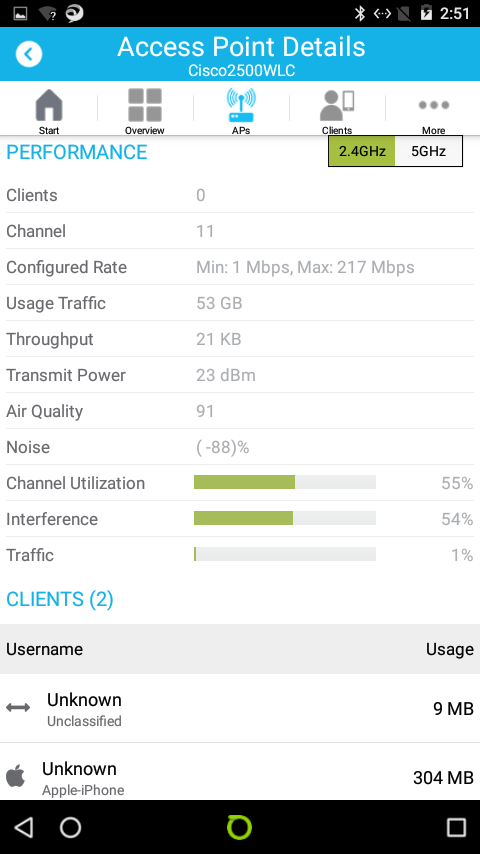
Use vendor apps to configure and validate connected equipment.
Wi-Fi and Bluetooth Ready - plug in the optional Edimax* N150 2-in-1 Wi‑Fi and Bluetooth Nano USB Adapter to further expand the capability of your LinkRunner G2.
Wi-Fi - View and configure IoT devices, connect and communicate over Wi‑Fi
- Edimax - 11n Wi-Fi Speed up to 150 Mbps. Complies with wireless IEEE 802.11b/g/n standards for Wi-Fi data transmission rates up to 150 Mbps when connected to an 802.11n device. Wi-Fi Security: Supports 64/128-bit WEP, WPA, WPA2 encryption.
Bluetooth - View, connect and configure Bluetooth devices and sensors
- Edimax - Bluetooth 4.0 & Bluetooth 3.0+HS (High Speed) up to 24 Mbps and fully backwards compatible with Bluetooth 3.0+HS and Bluetooth 2.1+EDR for wireless communication with almost all Bluetooth-enabled devices.
* Edimax N-150 2-in-1 Wi-Fi & Bluetooth 4.0 Nano USB Adapter is sold separately and is certified regionally.
- US-WIFI-BT-USB: Edimax n150 Wi-Fi & Bluetooth USB Adapter for US and Canada. Channels 1-11
- EU-WIFI-BT-USB: Edimax n150 Wi-Fi & Bluetooth USB Adapter for Europe. Channels 1-13
*Fiber SFP not included, sold separately.
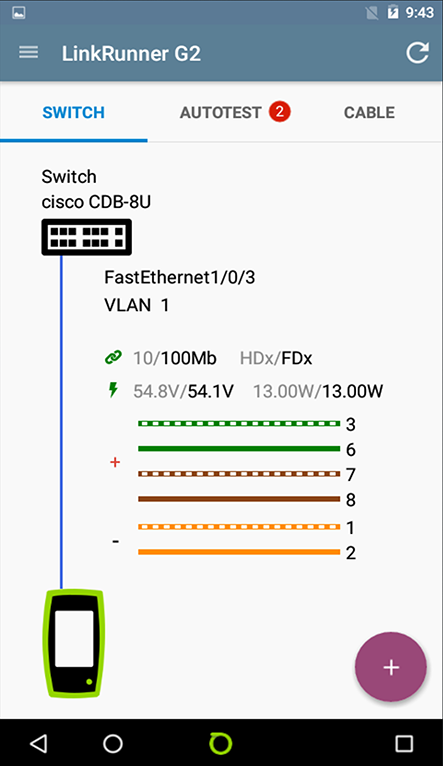
Nearest switch and VLAN information over Copper and Fiber Links - uses IEEE Link Layer Discovery Protocol (LLDP) plus the Cisco ® and Extreme Discovery Protocols (CDP and EDP) to display the VLAN/Voice VLAN and nearest switch model, slot and port. When reported as part of the AutoTest, a Refresh option is available that allows you to receive the next xDP frame (CDP/LLDP) coming from the switch.
TruePower™ PoE testing - quickly validate PoE performance by drawing actual power utilizing all 4 pairs such as UPOE. Load the circuit to stress switches, cabling and patch panels, all while measuring the voltage and pairs being used.
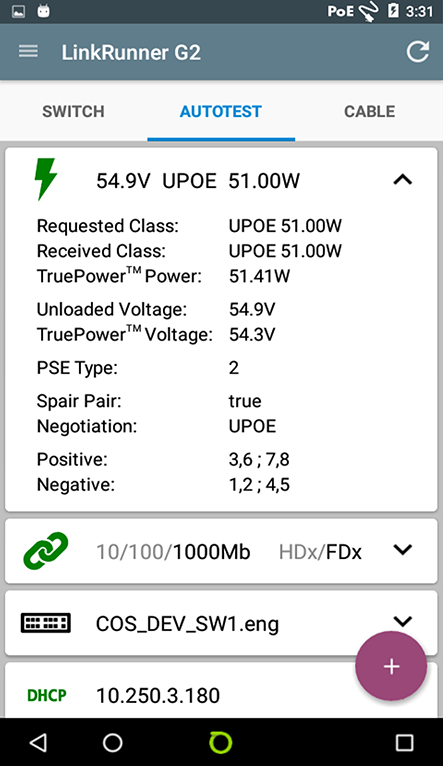
Link Speed/Duplex - verify link speed and duplex is configured as expected. If 1000BASE-T test is enabled and the link under test is not performing as expected, a yellow warning indication will be noted and the actual speed emphasized.
802.1X authentication - verify access to secure networks using 802.1X and MAC Access Control Lists (ACL). The included LinkRunner G2 Manager software configures 802.1X EAP type, downloads certificates and enters passwords.
IPv4/IPv6 ready - supports both IPv4 and IPv6 networks.
IP Address Validation - a key element to ensure network services are available for IoT connected devices is to verify they are able to obtain an IP address and access the network. Both DHCP and static IP configurations are supported; when using DHCP, the handshake timing and lease time is shown.
Key device and application availability -in addition to ping, which is sometimes blocked or disabled, the LinkRunner G2 can perform a TCP port open test to verify application connectivity to up to 10 user-defined targets using IPv4 and IPv6. Router, DNS and DHCP servers are reported. LinkRunner G2 provides the ability to perform a continuous ping, providing a quick and simple way to find intermittent connectivity issues.
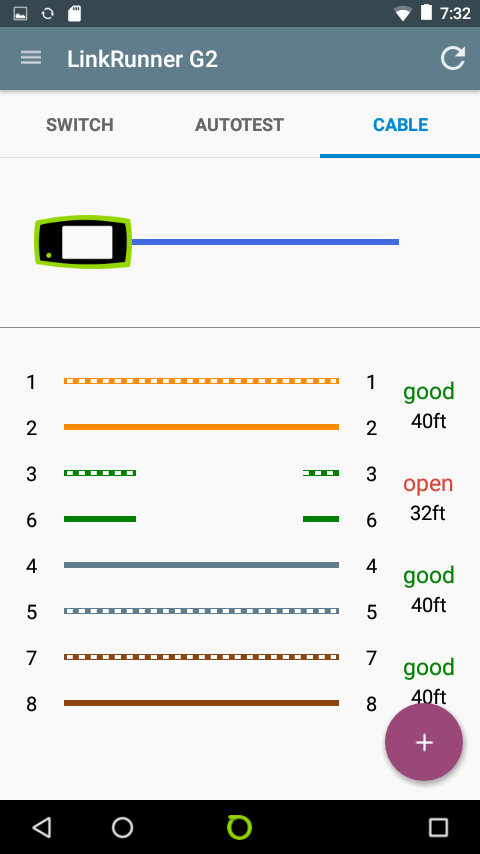
Cable verification - validate patch cables and installed wiring for length, reversed and crossed pairs, as well as distance-to-fault for opens, shorts, and split pairs. Perform a patch cable test with the integrated loopback ports, simply plug each end of the patch cord into the two RJ-45 ports on LinkRunner G2 to see pin to pin connectivity. Cable toning, flash port and numbered WireView adapters (for cable identification and wiremap) are also supported.
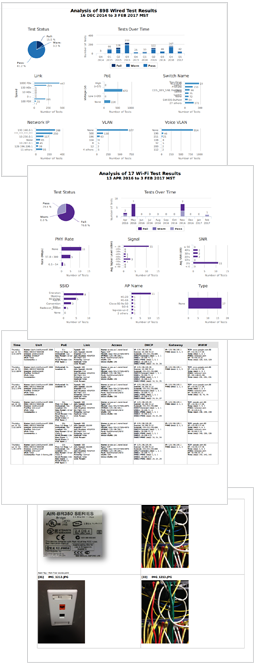
Automated Results Documentation - use the encrypted and highly secure Link-Live results management database to manage an unlimited number of test results, testers claimed to the service and invited users. Easily view and manage results such as by job-specific folders, tags and organizations. Results can include more detailed information such as jack location, trouble ticket, photographs taken with the integrated camera, or data from a QR/barcode scan. Create professional reports customized with your logo and project-specific information. Know who on your staff is testing what, where and when.
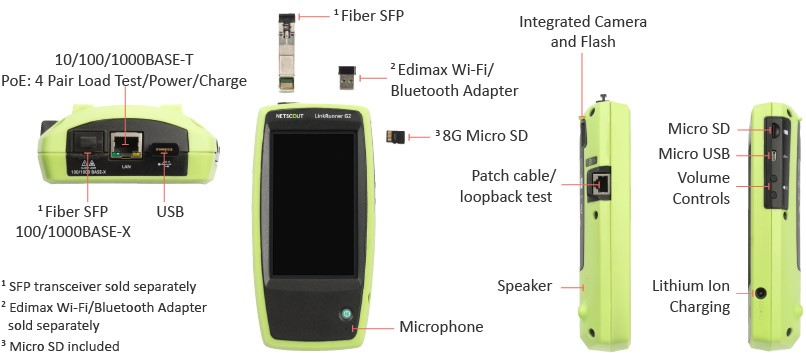
Button and port functions
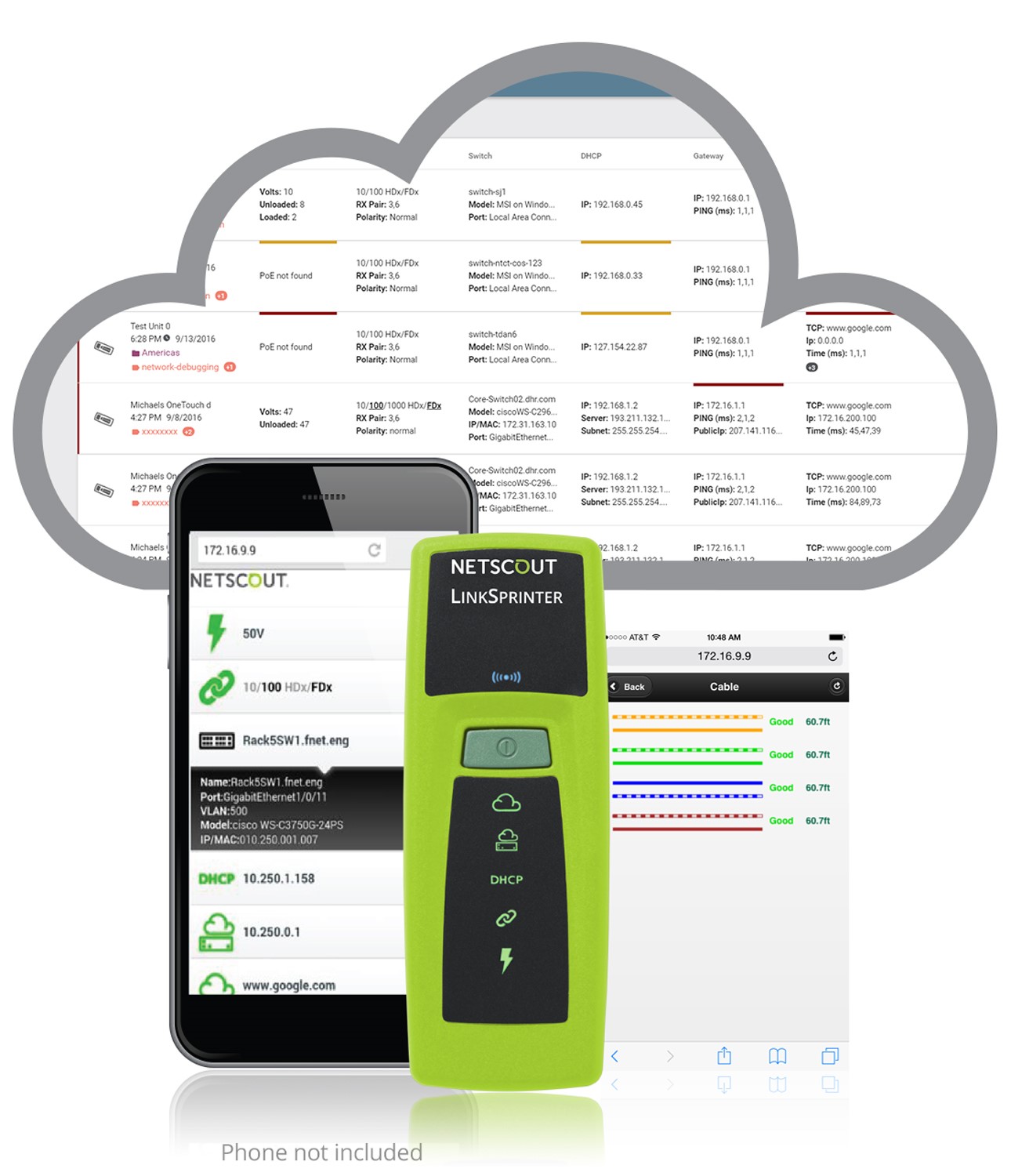
Quick, simple and affordable network connectivity testing that solves problems fast, with smartphone integration, and automated cloud-based reporting at a price anyone can afford.
LinkSprinter Network Tester
Validate Network Connectivity in less than 10 seconds
LinkSprinter is a pocket-sized Ethernet tester that provides complete end-to-end network connectivity testing and automated cloud-based reporting all with the touch of a button. LinkSprinter is used by PC help desk, front line technicians, network engineers and many others, to validate network connectivity, cable, and that power is correctly being applied to PoE powered devices.
Simply connect an Ethernet cable and the LinkSprinter goes to work checking the connection path from wall jack to internet, and in less than 10 seconds, you’ll know that status of the connection path through color-coded LEDs.
Five essential network tests in the palm of your hand
- Diagnose and test Power over Ethernet (PoE), Link to the switch, DHCP, Gateway, and Internet connection
- Get VLAN, switch name, and port information via CDP/LLDP/EDP for your managed switches
- Expert network troubleshooting techniques delivered to color graded LEDs
- All test results are sent to the Link-Live Cloud Service
- Get detailed test results sent directly to your email
NETSCOUT's LinkSprinter Network Tester Validates Network Connectivity in less than 10 seconds
LinkSprinter from NETSCOUT is the original pocket sized network tester that’s really easy to use. Just plug LinkSprinter and watch as it quickly performs five essential tests including testing for Power over Ethernet, establishing an Ethernet link, getting an IP address from a DHCP server, pinging a gateway router and ping tests to the Internet or cloud device of your choice. To learn more about NETSCOUT Systems’ LinkSprinter Ethernet connectivity tester, please visit us online:
http://www.netscout.link/60048cEKG
REAL WORLD: For Memorial Hermann Health Care Systems, providing reliable network connectivity is crucial. With over 20,000 devices connected to the network at any given time, troubleshooting network problems is a top priority. The Desktop support technicians use the LinkSprinter to give valuable insights to the network that otherwise they would have to escalate to the Network Engineering team. Watch this short video to see how this handheld tool gives a suite of key information, quickly and efficiently:
Enterprise Care Systems reduces escalations to the network engineering team by 80% using LinkSprinter
What's in the Box?
- LinkRunner G2 with Li-ion battery
- Power supply with regional power plugs
- WireView Cable ID #1
- Inline RJ-45 coupler
- USB 2.0 to Micro USB cable (2)
- 8 G Micro SD card
- LinkSprinter (2)
- LinkSprinter Holster (2)
- Alkaline AA Battery (4)
- LinkRunner G2 Holster
- Small Soft Case
- Getting Started Guides
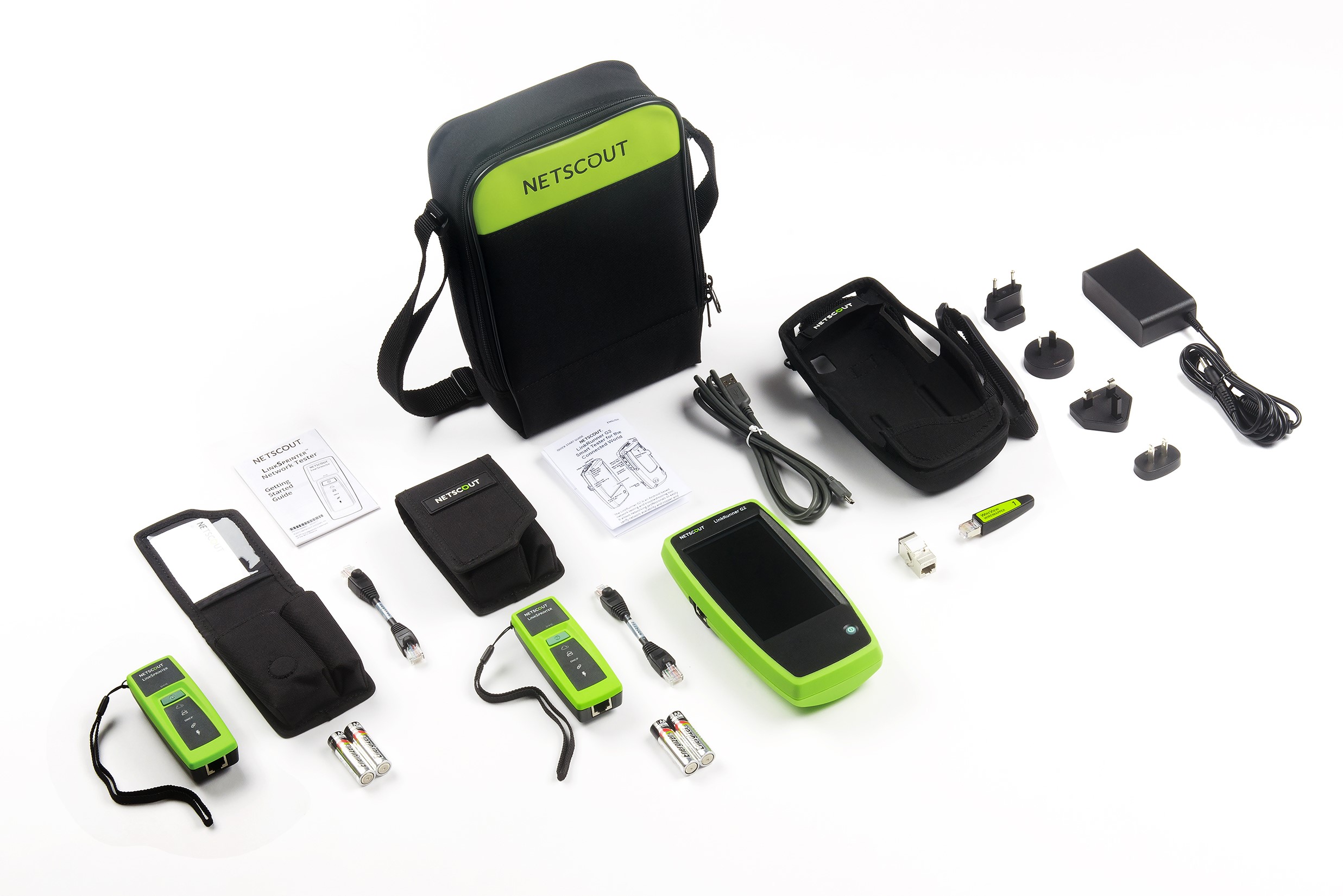
LinkRunner G2 Smart Network Connectivity Tester plus LinkSprinter Network Tester x 2 with accessories.